दोस्तों, आज के डिजिटल जमाने में graphic design की डिमांड बहुत बढ़ गई है। लेकिन सबसे बड़ी प्रॉब्लम ये है कि सबको Adobe Photoshop या Illustrator चलाना नहीं आता, और ना ही सबके पास इतना पैसा है कि वो एक्सपेंसिव सॉफ्टवेयर खरीदें। यहीं पे Canva एक game-changer बन कर आया है!
मैंने खुद Canva से earning शुरू की थी 2022 में, और आज मैं आपको अपना पूरा एक्सपीरियंस शेयर करूंगा। Trust me, अगर मैं कर सकता हूँ तो आप भी डेफिनिटली कर सकते हो।
Canva Designing Se Earning Kaise Kare – Complete Guide 2026
Canva क्या है और क्यूं स्पेशल है?
Canva एक ऑनलाइन design platform है जो बहुत ही user-friendly है। इसमें आपको coding या professional designing की नॉलेज की जरूरत नहीं पड़ती। Drag and drop फीचर है – मतलब एक बच्चा भी यूज कर सकता है (literally)
मुझे याद है जब मैंने पहली बार Canva यूज किया था। मेरे एक दोस्त ने मुझे बोला कि उसको अपने स्मॉल बिजनेस के लिए Instagram posts चाहिए। मैंने सोचा कि बिना Photoshop के कैसे बनाऊंगा? तब मैंने Canva ट्राई किया और 30 मिनट में 5 professional looking posts बना दिए। उस दिन से मेरा Canva journey शुरू हुआ।
Canva के मेन Features:
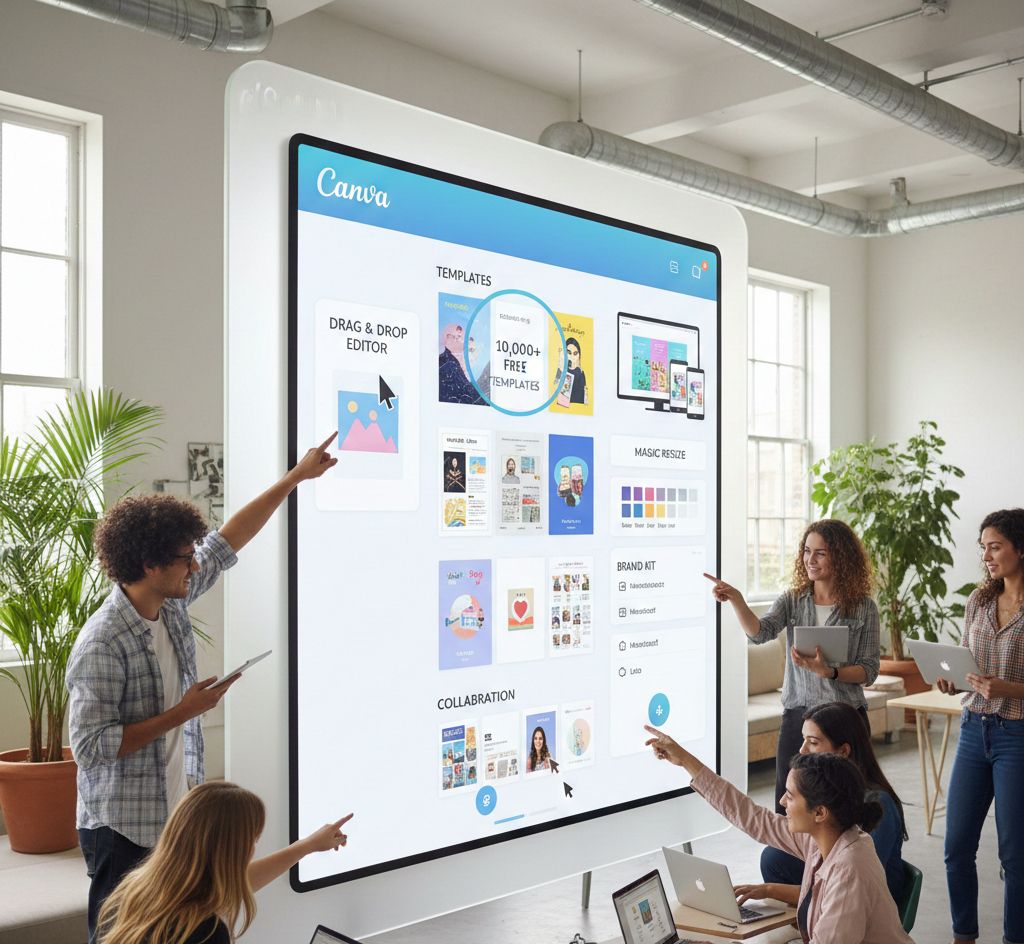
• Templates का भंडार – Thousands of ready-made templates
• Free और Pro versions – आप free में भी शुरू कर सकते हो
• Mobile और Desktop दोनों पे available – कहीं से भी काम करो
• AI features – 2024-25 में Canva ने काफी पावरफुल AI tools ऐड किये हैं
• Brand Kit – अपने clients के लिए consistent designs बनाओ
Canva से पैसे कैसे कमाएं – Practical Methods
1. Social Media Graphics Design
ये सबसे easy और पॉपुलर तरीका है। हर छोटी-बड़ी कंपनी को आज social media presence चाहिए, और उन्हें रेगुलर posts, stories, और banners की जरूरत होती है।
मैंने क्या किया
मैंने अपने लोकल एरिया के 5-6 small businesses को अप्रोच किया – एक salon, एक restaurant, एक gym, और कुछ shops। उन्हें फ्री में 2-3 sample designs दिखाई और बोला कि मैं उनके लिए monthly social media posts डिज़ाइन कर सकता हूँ।
Rates क्या रखें:
• Instagram/Facebook posts – ₹50-150 per post (beginners के लिए)
• Instagram stories – ₹30-100 per story
• Monthly package – ₹3000-8000 (15-20 posts)
एक बात याद रखना – शुरू में थोड़ा low charge करो, portfolio बिल्ड करने के लिए। मैंने initially ₹2000 per month चार्ज किया था 10 posts के लिए, लेकिन अब same काम के लिए ₹6000-7000 मिल जाते हैं।
2. Logo Design Service
हाँ दोस्तों, Canva से logo भी बन सकता है! बहुत लोग कहते हैं कि Canva से professional logo नहीं बनता, लेकिन मैं proof हूँ कि बन सकता है। मैंने अभी तक 50+ logos डिज़ाइन किये हैं Canva पे।
Pro tip: Canva Pro लेना helpful है logo design के लिए क्योंकि उसमें transparent background डाउनलोड कर सकते हो (PNG format में)। अगर आपके पास Pro नहीं है तो background remover tools यूज कर सकते हो।
Logo design rates:
• Simple logo – ₹500-1500
• Complete brand identity (logo + business card + letterhead) – ₹3000-7000
मैंने एक बार एक startup के लिए पूरा branding package डिज़ाइन किया था – logo, visiting card, Instagram templates, और presentation templates। मुझे उस प्रोजेक्ट के लिए ₹12,000 मिले थे। वो मेरे लिए biggest deal थी उस टाइम पे!
3. Templates बेच के Earning
ये method थोड़ा time-consuming है initially, लेकिन passive income का बेस्ट सोर्स है। आप templates डिज़ाइन करो और उन्हें ऑनलाइन बेच दो।
कहाँ बेच सकते हो:
• Etsy – International marketplace, dollar में payment मिलती है
• Creative Market – Design assets के लिए पॉपुलर प्लेटफॉर्म
• Gumroad – Direct selling के लिए easy platform
• Instagram – हाँ, Instagram पे भी directly बेच सकते हो
मैंने personally Etsy पे Instagram templates का bundle ₹299 में लिस्ट किया था। पहले महीने सिर्फ 2 sales हुई थी, लेकिन अब monthly 20-25 sales हो जाती हैं। ये एक्स्ट्रा ₹5000-6000 की passive income बन गई।
Popular template types:
• Social media templates
• Resume/CV templates
• Presentation templates
• E-book templates
• Wedding invitation templates
• Menu card templates
4. YouTube Thumbnails Design
YouTube creators को attractive thumbnails की बहुत जरूरत होती है। और यहाँ competition भी कम है comparatively
Pricing strategy:
• Per thumbnail – ₹100-300
• Monthly package (10-15 thumbnails) – ₹2000-4000
मैंने एक tech YouTuber के लिए thumbnails डिज़ाइन किये थे। पहले मुझे per thumbnail ₹150 मिले, फिर जब उसके views बढ़ने लगे तो उसने मुझे monthly ₹3500 का package दिया 12 thumbnails के लिए।
Thumbnail design tips:
• Bold text यूज करो
• Contrasting colors रखो
• Face expressions अगर हो तो catchy होने चाहिए
• Text readable होना चाहिए mobile पे भी
5. E-books और Lead Magnets
बहुत सारे digital marketers, coaches, और content creators को e-books और lead magnets चाहिए होते हैं। Canva में e-book design करना बहुत easy है।
Rates:
• Simple e-book (10-15 pages) – ₹1500-3000
• Detailed e-book (30-50 pages) -₹5000-10000
• Lead magnet/Checklist – ₹500-1500
एक online fitness coach ने मुझसे 20-page की diet guide डिज़ाइन करवाई थी। मैंने Canva पे professional-looking e-book बनाई with images, infographics, और proper formatting। मुझे ₹4000 मिले और वो बहुत खुश था results से।
Canva Pro लेना चाहिए या नहीं?
ये सबसे common question है। मेरा personal opinion – initially free version से शुरू करो, लेकिन जब regular clients मिलने लगें तो Pro ले लो।
Canva Pro के benefits:
• Background remover – एक क्लिक में background हटा सकते हो
• Brand Kit – Multiple clients के लिए separate brand kits
• Premium templates और elements – Millions of premium graphics
• Resize magic – एक design को multiple sizes में convert करो instantly
• Magic Write AI – Content writing के लिए AI tool
Price: ₹500-600 per month (annual plan लेने पे सस्ता पड़ता है)
मैंने 4 महीने free version यूज किया, फिर जब मेरी monthly earning ₹8000-10000 होने लगी तब Pro ले लिया। अब तो बिना Pro के काम करना मुश्किल लगता है honestly
Clients कहाँ से ढूंढें?
ये सबसे इम्पोर्टेंट question है – clients कैसे मिलेंगे?
मेरे tested methods:
1. Local businesses approach करो
अपने एरिया के shops, salons, clinics, coaching centers को directly जाके मिलिए। उन्हें samples दिखाइये। मैंने इससे अपने पहले 5-6 clients मिले थे।
2. Freelancing platforms
Fiverr – यहाँ पे gig बनाइये और wait करो
Upwork – Profile अच्छी बनाओ और proposals भेजो
Freelancer.com – Indian clients के लिए better है
Truelancer – Specifically India-focused platform
3. Social media marketingInstagram पे अपना design page बनाओ। Regularly अपने designs post करो। Hashtags यूज करो relevant – #graphicdesignindia #canvadesigner #socialmediadesigner
Instagram पे अपना design page बनाओ। Regularly अपने designs post करो। Hashtags यूज करो relevant – #graphicdesignindia #canvadesigner #socialmediadesigner
मैंने अपना Instagram page बनाया था “@designs_by_[name]” और regularly designs post करता था। 3 महीने में 500 followers हो गए और 2-3 clients भी मिले direct Instagram से।
4. WhatsApp groups और Facebook groups
Local business groups में active रहो। जब कोई design की जरूरत mention करे, politely अपनी services offer करो (spam मत करो बस)
Latest AI Features जो Canva में आये हैं (2024-25)
Canva ने 2024 में काफी पावरफुल AI features लॉन्च किये हैं जो designing को और भी easy बना देते हैं:
Magic Design – आप सिर्फ अपना content डालो, Canva automatically multiple design options create कर देता है। मैंने ट्राई किया है और सच में काफी टाइम बचता है।
Text to Image – AI से images generate कर सकते हो। “Sunset beach with palm trees” टाइप करो और unique image मिल जाएगी।
Magic Edit – Photos में objects ऐड या remove कर सकते हो AI से। Photoshop जैसा feature, but easier!
Brand Hub – अपने brand के लिए automatically consistent designs suggest करता है।
Magic Write – Content लिखने में help करता है। Captions, descriptions, headlines सब generate कर सकता है।
इन AI tools की वजह से अब competition बढ़ गया है थोड़ा, but इसका मतलब ये भी है कि आप better quality designs faster बना सकते हो। अपनी creativity और AI को combine करो – ये 2025 का formula है!
Common Mistakes जो मैं Avoid करता हूँ
1. Over-designing मत करो
Beginners की सबसे बड़ी गलती – बहुत सारे elements यूज कर देते हैं। Simple is better, remember this
2. Copyright issues
Canva के free elements ही यूज करो design में। बाहर से random images मत डालो जो copyrighted हो सकती हैं।
3. Low-quality downloads
हमेशा high-quality PNG या PDF में download करो। JPG quality कभी कभी खराब हो जाती है।
4. Deadlines miss मत करो
Client से deadline पहले ही clear कर लो और टाइम पे deliver करो। एक बार मैंने 2 दिन late कर दिया था, client नाराज़ हो गया और payment में भी प्रॉब्लम आई।
5. Revisions की limit set करो
मैंने शुरू में unlimited revisions offer किये थे। एक client ने 15 बार changes करवाए! अब मैं clearly कहता हूँ – “2 free revisions, उसके बाद ₹200 per revision.”
Real Income Potential – मेरा Experience
Month 1-2: ₹2000-3000 (learning phase, free projects भी किये)
Month 3-4: ₹6000-8000 (3-4 regular clients मिल गए)
Month 5-6: ₹12000-15000 (Fiverr पे भी active हो गया, templates बेचना शुरू किया)
Current (1+ year): ₹25000-35000 (8-10 regular clients, templates से passive income, और freelancing projects)
ये full-time नहीं, part-time करता हूँ मैं। अगर full-time dedication दो तो ₹50000+ भी easily possible है।
Final Tips और Motivation
दोस्तों, Canva designing से earning कोई rocket science नहीं है। बस consistency चाहिए और patience। पहले 2-3 महीने slow होंगे, demotivate मत होना। मैंने भी शुरू में सोचा था छोड़ दूं, but मैंने continue रखा और आज satisfied हूँ।
Action steps:
1. आज ही Canva account बनाओ (free से शुरू करो)
2. YouTube से 2-3 basic tutorials देखो
3.10-15 practice designs बनाओ
4. अपने किसी friend या family member के लिए free में design बनाओ (portfolio के लिए)
5. 5-10 local businesses को approach करो samples लेकर
याद रखना – हर expert भी कभी beginner था। आज जो designers lakhs कमा रहे हैं, उन्होंने भी एक दिन zero से ही स्टार्ट किया था।
Leave a Reply